Castle APK

Castle APK is an Android entertainment application to view movies, web series, live tv, sports etc. Features, download and installation
Castle APK
Castle APK is an android application that offers Entertainment material such as Movies, TV Shows, Web Series, Live TV, Sports and many other video genres. It is given as an APK file which implies that it is easy to install it on a compatible Android device directly instead of utilising a common app store installation. Others search Castle APK download to upgrade to the latest version. Always check the source, Android compatibility, permissions, and version info of any APK you want to install. In this guide, we will be talking about Castle APK, its features, compatible devices, how to install it, MOD APK terms, safety, and common troubles.
What Is Castle APK?
Castle APK is an Android entertainment app for searching and watching different types of video content. Depending on the version, users can watch movies, web series, TV shows, live channels, sports, regional content and other entertainment. The app is installed using an APK file. APK stands for Android Package Kit. It is the file format used to install software on Android devices outside of the standard app-store process. Castle APK may also be known as Castle App or Castle TV APK on other sites. Look closely at these names as programs with similar names are not usually the same product. Also, the information and features you have access to may change when a new version is released. Users are urged to download the most suitable app version for their device.

What’s New in the Latest Castle APK?
Updates can also alter the look and experience of an app. New Castle APKs – better speed, better quality, better usability etc.
Typical changes include:
- Interface improvements
- Playback changes
- Bug fixes
- Better for appliances
- Performance optimisations
- New material categorisation
- Characteristic adaptations already in place
But that depends on the release. If the full changelog is not available, do not assume a certain feature was added.
Castle APK Features
Castle APK has different entertainment and playback options. Specific selections may vary between releases.
Large Entertainment Library
The application is based on many entertainment zones. Instead of searching for each title, users can explore any content they like. The material might be of several types, like movies, series, TV programs, live channels, sports and regional entertainment.
Movies and Web Series
Castle entertainment is defined by its films and web series. Users can look for available titles, and also browse categories. Availability of content may vary over time. A title listed in an edition or a release may not be available in another.
Live TV Channels
There are versions of Castle that have live TV categories. That might translate into the ability to explore multiple channels in the app, rather than bouncing between various services. The available channels depend on the version and source.
Sports and Live Entertainment
Live entertainment genres are a type of sports programming as well. Users can search for sports-related channels or events, if accessible. Live streaming requires a source to be available and a working network connection.
HD and Multiple Video Quality Options
Some versions are played with various quality options. If your gadget and internet connection can handle it, choose a higher quality setting for a sharper picture, or lower it to save on data. The options you have depend on the content and version.
Built-In Media Player
The built in player improves the experience of content viewing. Users can start playback without having to jump between different applications all the time. The playback controls contain options such as play, pause, seek, volume, and quality, among others.
External Media Player Support
Some variants may support external media players. This can be useful if users want to use another player or if there are compatibility issues with the built in player. Each release can have different external support.
Subtitles and Language Options
Some of this content may be in another language with subtitles. These features can be handy when you are watching regional or foreign material. Titles are subject to availability.
Search and Content Discovery
Search features could help you to find a particular movie, series or channel effortlessly . Categories also enable users to browse material if they don’t know the precise title.
Watchlist and Saved Content
Where accessible, saved-content capabilities assist users in tracking titles they want to watch later. The specific watchlist options can differ for each release.
Playlist Organization
Some versions have playlist capabilities to sort selected content. This can make often-watched things easier to access.
Chromecast and Casting
You can cast supported video playback from an Android device to a supported display, when supported. The casting also depends on the device, app version and network.
Offline Viewing
Some versions of the Castle APK or content sources can have download or offline alternatives. This feature won’t be available for every title. If offline viewing is available, users should check where downloaded materials are stored and how long they can be accessed.
Castle TV APK
Another searched term for Castle entertainment applications is “Castle TV Apk”. However, before assuming Castle TV APK and Castle APK are the same, users should examine the actual software name and source.
What Is Castle TV APK?
What is Castle TV app? In most cases, this signifies that the Android Application or APK is associated with television and entertainment content. Check the package information, developer details and source before installing if the version you are using is named Castle TV.
What Can You Watch on Castle APK?
Castle APK can break the enjoyment into various categories. Which library is used depends on the version and the sources available.
Movies
Movie categories are Indian, Hollywood, regional and global titles. You can browse through the different categories or search for a certain movie.
TV Shows and Web Series
You can filter your web series / TV shows by genre, language or other categories if available.
Live TV
The application offers sections of Live TV that can provide you with access to the different stations. Channel lists are subject to change and users should not assume that every channel is available for good.
Sports and Cricket
Sports sections provide cricket and other live sporting programming. Network speed , server load and availability of the stream impacts live sports streaming .
Regional and Multilingual Content
Regional entertainment might be useful for those who appreciate content in languages other than English. Depending on the catalogue supplied, there are sections in Indian and other worldwide languages that users may find.
Kids and Animated Content
Some editions may also offer kids or animation entertainment. Parents are still encouraged to review the material before letting children use any third party entertainment application.
OTT and Other Entertainment
Also, users can browse the popular entertainment categories, web series. The list of offered options is not stable and may vary from release to release.
Castle TV Features
A TV-centric Castle app may, depending on the release, include:
- Live TV –
- Film
- Television series
- Online series
- Sports
- Playback on bigger screen
- Shop by category
Some of these features are not accessible in all versions.
Castle TV on Larger Screens
A TV-like interface can help with navigation on a larger screen. Android TV devices also provide an alternative to the navigation experience, often operated with a remote. Before you install an APK on your TV, always make sure it’s compatible.
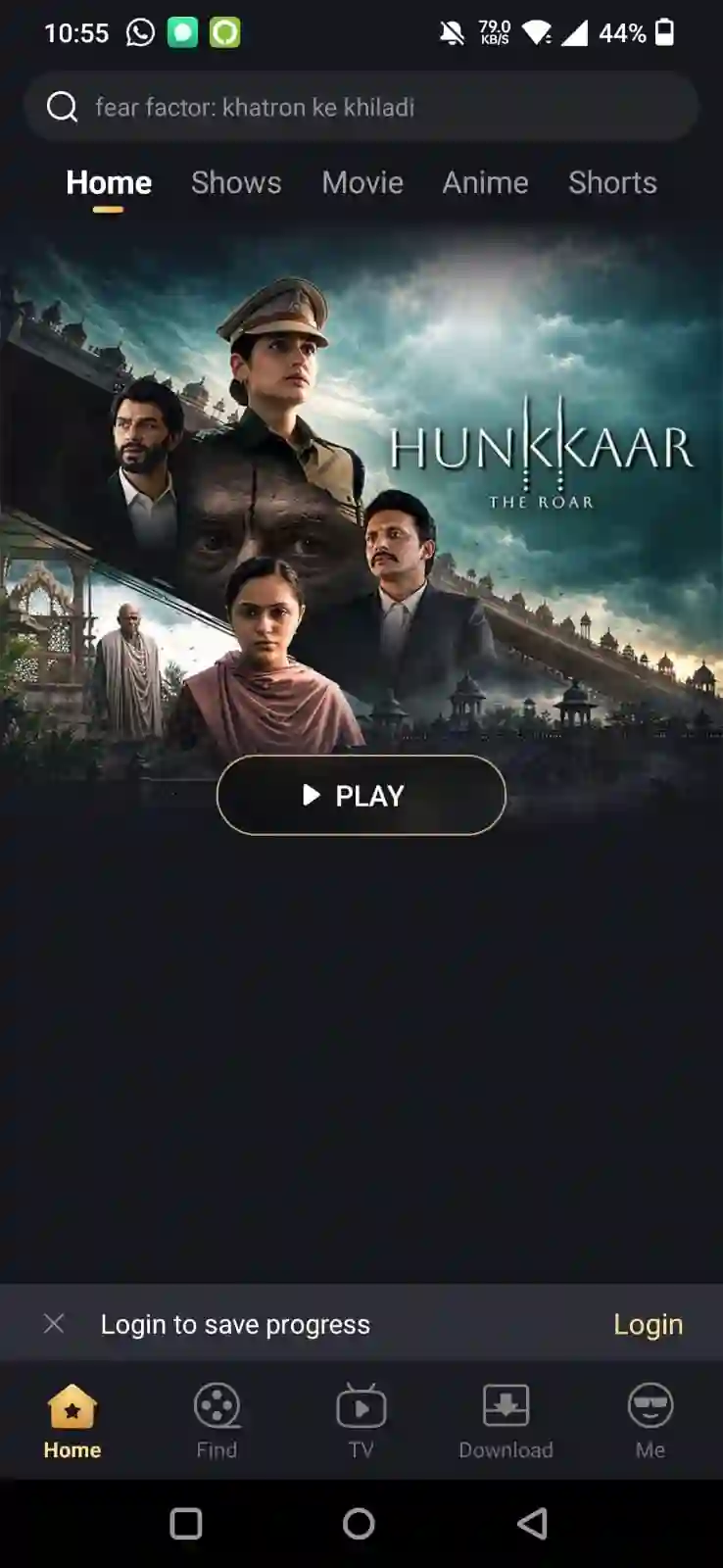
Castle APK ScreenShots
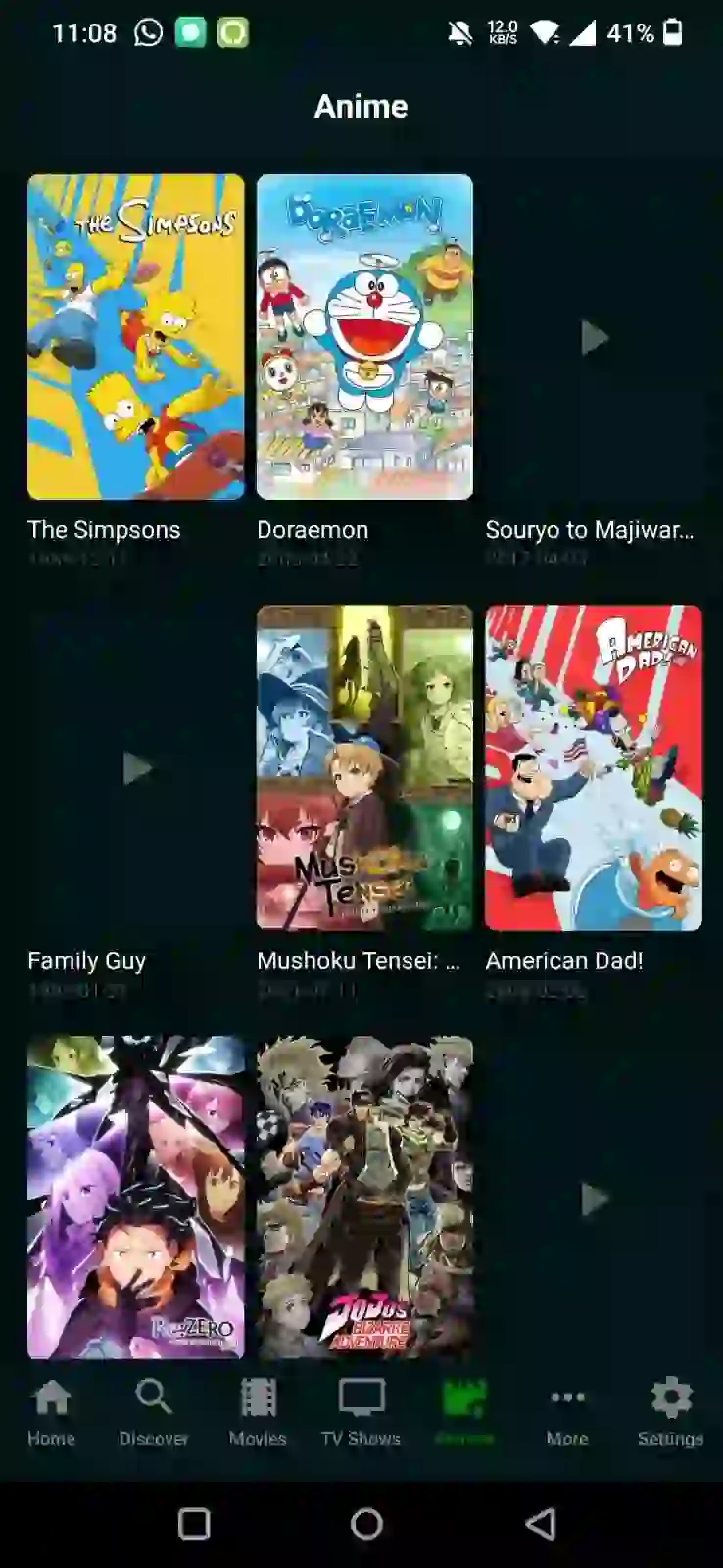
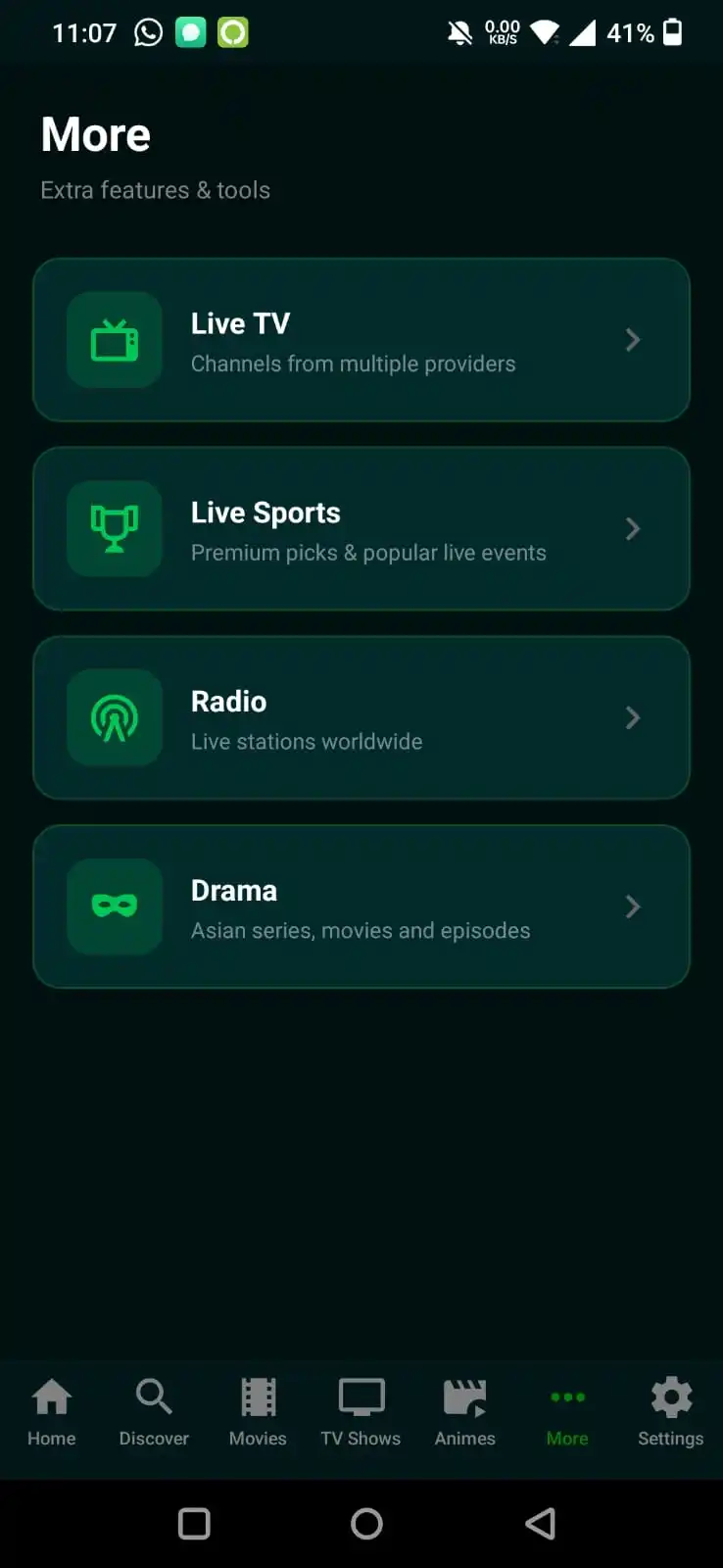
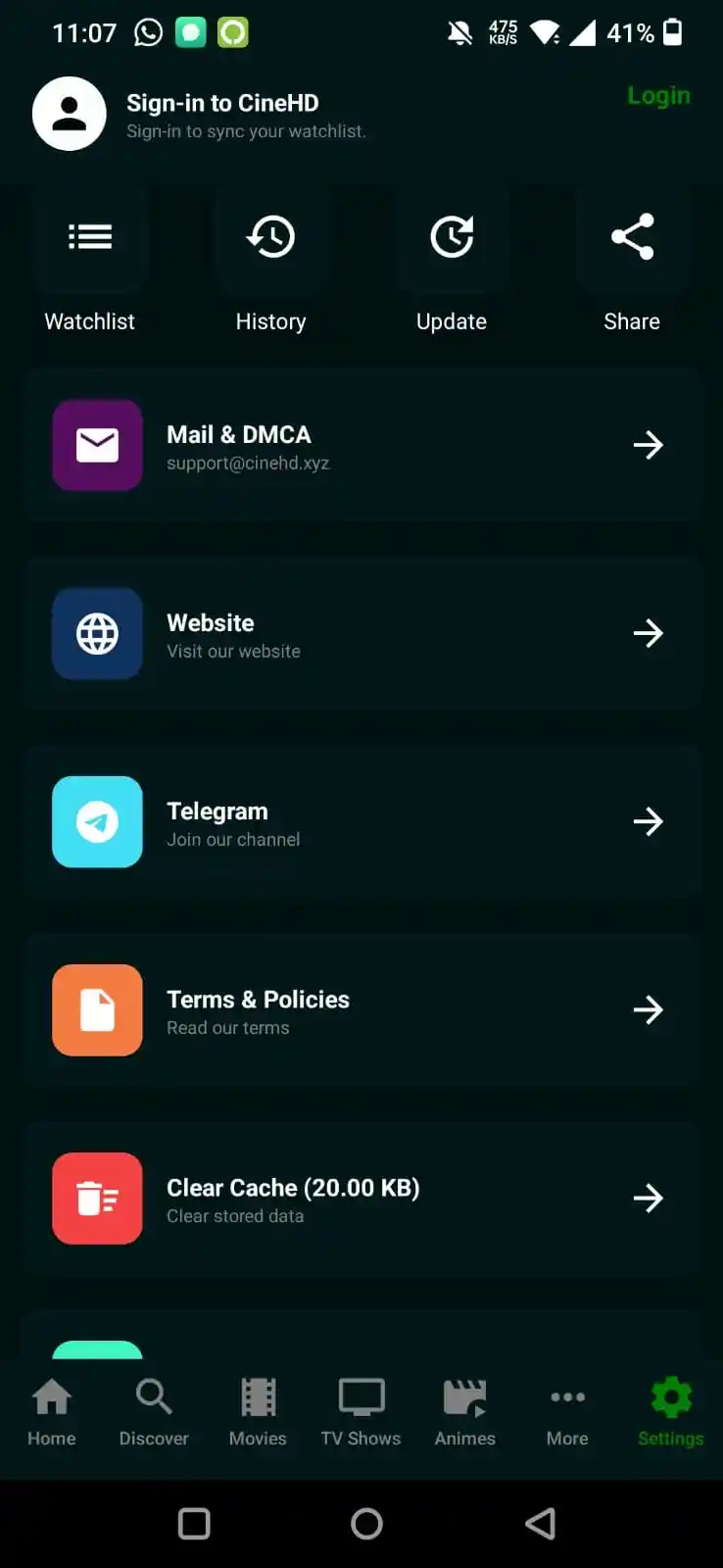
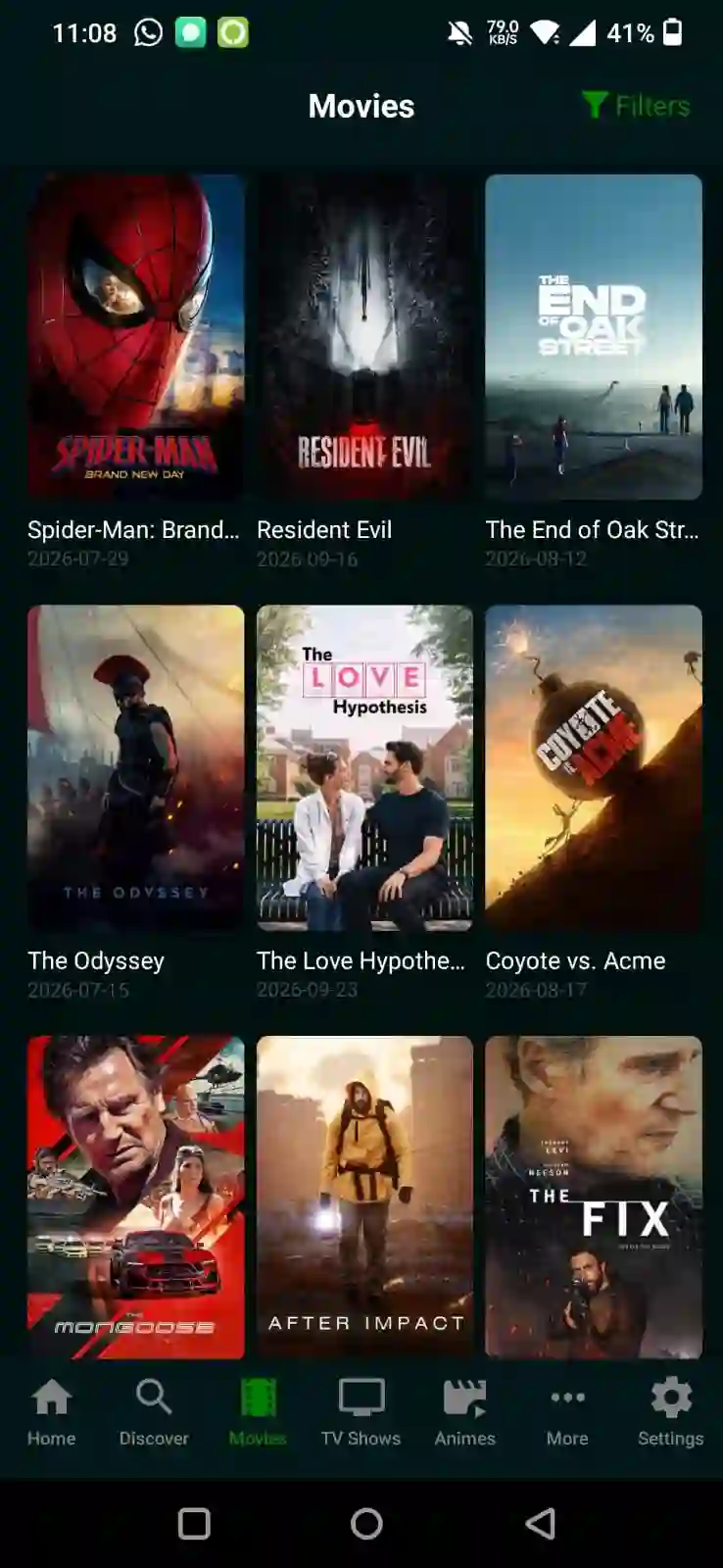
Castle APK Download
CastleAPK is one of the most popular apps under the APK & Games category. With its simple to use and easy to navigate UI, Castle APK has got huge popularity among the mobile users. You can download Castle APK from the official website or from the mirror sites.
What to Check Before Downloading Castle APK
Check the Version
Make sure you know the version you are downloading. Older APKs may not function properly on newer devices.
Check the File Size
Compare the reported file size with the file you downloaded. If there is a considerable discrepancy there can be a reason to stop and double verify the source.
Check Android Compatibility
Android installation prerequisites Read before installing.
Check Available Storage
Ensure you have adequate free storage space on your device for the APK and the application data.
Check the Source
Download only APK files from a reliable source. Don’t go on suspicious pages, click on misleading buttons and download files with weird names.
Review Permissions
If an app requests permissions that appear to be irrelevant to its function, you might want to reconsider installing it.
How to Download Castle APK
- Download the latest castle apk version.
- Please see version information and file information.
- Download the APK here.
- Wait till the download is finished.
- Look at the file you downloaded.
- If everything appears OK, proceed with installation.
How to Install Castle APK on Android
Installing an apk is different from installing an app from google play store.
Step 1: Download the APK
Download the Castle APK file you need and verify that the download is complete.
Step 2: Check the File
Before opening a file, check the file name, size and source.
Step 3: Allow APK Installation
Android may request for permission to install from the source you are using. Go into the relevant android configuration and give permission only if you trust the source. This setting can be in multiple places on different Android versions.
Step 4: Install Castle APK
Open the APK file and follow the steps on Android to install the app.
Step 5: Open the App
Once installed, go up your app list and touch on Castle APK.
Step 6: Configure Basic Settings
Before using the application check available permissions and playback selections.
How to Install Castle APK on Android TV
It might require a couple more steps to get it to install on Android TV.
Step 1: Download a Compatible APK
Download a version that works on your TV or Android TV.
Step 2: Transfer the APK
If you downloaded the APK on another device, transfer it to the TV using one of the approved methods.
Step 3: Enable Installation Permission
Android TV may ask you to allow it to install an APK outside of its system.
Step 4: Install the APK
Just open the file and install as per instructions.
Step 5: Test Playback
Open the app and attempt navigation and video playback If you find it difficult to access the app with a remote control, then the version may not be compatible with your TV.
Castle APK on Smart TV
Not all Smart TVs are able to install Android APK files. Some Android TVs allow you to install APK files but other Smart TV operating systems use different kinds of applications.
Before downloading Castle APK for Smart TV check:
- TV OS
- Android version
- Storage Space Available
- APK-compatibility
- Installation permissions
It does not work immediately on all Smart TVs. A file made for Android.
Castle APK System Requirements
Requirements can vary from version to version.
Android Requirements
Check that the APK you wish to install supports the minimum Android version.
Storage Requirements
Leave enough free space for both the APK and application data.
Internet Requirements
Streaming usually requires a good internet connection. A faster connection might help with higher resolution video.
Android TV Requirements
Compatibility with Storage Remote and Android TV version display support
PC and Emulator Requirements
You might need more RAM and computing power to emulate on a PC than you would on an average Android phone.
How to Use Castle APK
The interface may differ from release to release, but the underlying technique is often straightforward.
Open the Application
After installation, launch Castle APK.
Browse Categories
Find other movies, television, programs, sports & other categories
Search for Content
Looking for something different? Use the search function
Select a Movie or Show
See the content page for all the details on offer.
Choose Playback Options
Choose the quality, audio, subtitles, and player settings you wish.
Manage Favorites and Saved Content
If your version has these capabilities, use them to organise the information you want to return to later.
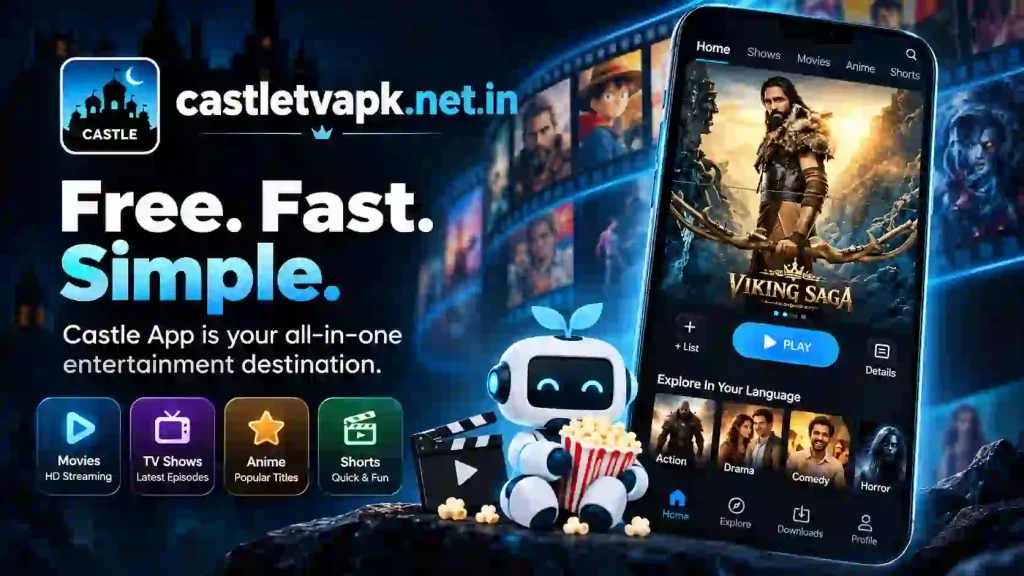
What Affects Castle APK Streaming Quality?
Internet Speed
playback may be interrupted or buffered if the connection is weak or unstable.
Video Quality Selection
Higher quality video demands more bandwidth.
Device Performance
Older gear may struggle with high resolution video.
Available Stream Quality
You can’t watch videos of any quality even with a good internet connection.
Network Congestion
Active networks might reduce the bandwidth you have to cope with and limit your capacity to play .
Common Castle APK Problems and Fixes
Castle APK Is Not Installing
View File integrity Installation permissions Available storage Android version Another installed version of the same program can trigger a package conflict.
Castle APK Is Not Opening
Device Reboot. Check that the program is compatible with your Android version. Ascertain if the issue has arisen post-upgrade by verifying whether the updated version has altered prerequisites.
App Keeps Crashing
Ensure your device possesses sufficient available memory and storage. Modifying the application could be beneficial if an appropriate version exists.
Videos Are Not Playing
Check your Internet connection. Then select another video or play option available.
Castle APK Is Buffering
Try reducing your video quality, changing to a more steady network, or restarting the software.
Download Problems
Please check your Internet connection, free disc space and browser permissions to download files.
Update Problems
Do not delete the old version unless you must and you are sure you won’t lose crucial local data. Then you must install a compatible later version.
Android TV Problems
TV Android version, storage, install authorisation and remote compatibility.
Compatibility Problems
Not all APK versions can run on all Android devices. Check the minimum required Android version to install.
Castle APK Pros and Cons
- Focuses on diverse entertainment areas
- Android phones that are supported can install apk.
- Includes Movies, TV Shows, Live TV and Sports Genres
- Some versions offer different playback options.
- Support for large-screen Android devices
- Features may differ between versions.
- Steps required to install APK beyond usual app store installation
- Be careful when you download APKs from third party sources.
- Other security or privacy issues may arise in modified versions.
Conclusion
The majority of Android users are seeking for Castle APK to utilize it as an entertainment app with access to a lot of video materials. Depending on the release you can obtain movies, web series, live TV, sports, regional content and playback tools. But it’s not only the latest version number with whatever APK you download. Check compatibility, file information, permissions and source. It’s really needed for Castle MOD APK, Castle Premium MOD APK and other mod versions. A good installation technique will help to reduce the typical problems and also to know whether a particular Castle APK version works for your device.